·
10 min
Gherkin Syntax: Writing Clear Given-When-Then Scenarios

Roman Kirchmeier - Autemos

Gherkin syntax structures examples with Feature, Scenario, Given, When, and Then. Cucumber recommends 3 to 5 steps for most examples (Cucumber, 2026). A useful scenario states context, behavior, and an observable result. It leaves selectors and click sequences in code. Each example should make one business rule easy to inspect and discuss. This makes Gherkin readable within Behavior Driven Development and executable through Cucumber Testing. Valid grammar still needs review by domain, development, and test representatives before automation begins and during later changes.
TL;DR: Gherkin arranges behavioral examples through Feature, optional Rule, Scenario, and Given-When-Then. Cucumber recommends 3 to 5 steps for most examples (Cucumber, 2026). Scenario Outline repeats a scenario for each Examples row. A Data Table passes structured input to one step.
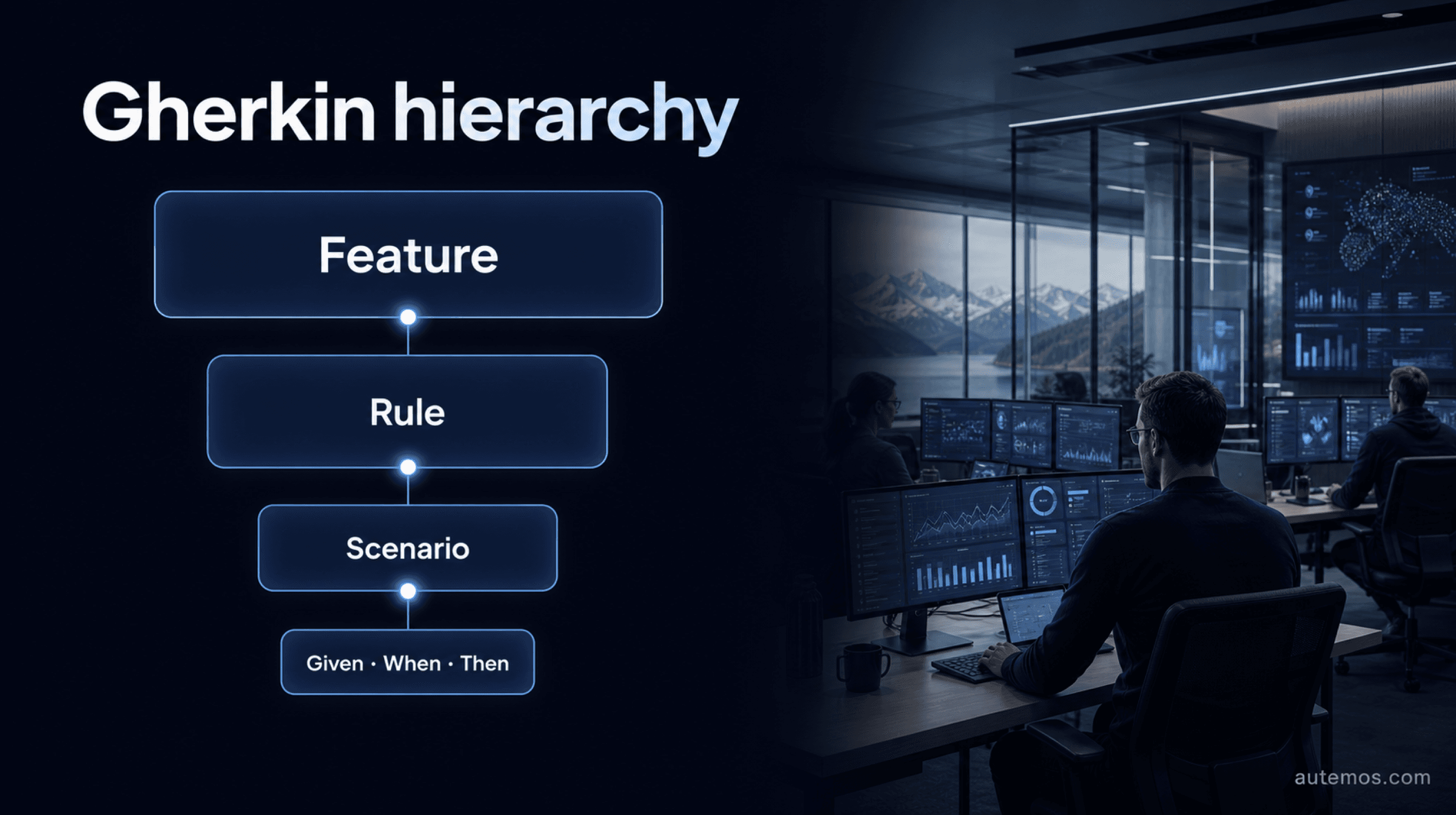
Figure 1: The Gherkin hierarchy from Feature to individual steps.
What is Gherkin syntax?
Gherkin is a grammar that makes plain text structured enough for Cucumber to process from a `.feature` file. Its official definition states: “Gherkin is a set of grammar rules that makes plain text structured enough for Cucumber to understand” (Cucumber, 2026). Gherkin is a notation for examples, not a programming language.
A file begins with `Feature:`. It may contain `Rule`, `Scenario`, `Background`, and `Scenario Outline`. Steps begin with `Given`, `When`, `Then`, `And`, or `But`. Tags use `@`, tables use `|`, and comments begin on a new line with `#`. One file can contain one Feature (Cucumber, 2026).
Gherkin records expected behavior. Cucumber parses the grammar and connects steps to code. Step Definitions access APIs, browsers, apps, or databases. A `.feature` file cannot execute a test without a runner and implementation code.
How do Feature, Rule, and Scenario fit together?
Feature, Rule, and Scenario move from a business capability to one checkable example. `Rule` entered the grammar with Gherkin 6 and groups scenarios for one business rule (Cucumber, 2026). `Scenario` and `Example` are synonyms.
Element | Purpose | Expected use |
|---|---|---|
`Feature` | Names a capability or business topic | exactly 1 per file |
`Rule` | Groups examples for one business rule | optional, several permitted |
`Scenario` | Describes one concrete example | at least 1 for each relevant rule |
`Background` | Sets common context | at most 1 per Feature or Rule |
`Scenario Outline` | Repeats a template with data rows | optional, requires Examples |
A short example shows the hierarchy:
Level | Syntax |
|---|---|
Feature | `Feature: Daily transfer limit` |
Rule | `Rule: The remaining limit restricts each transfer` |
Scenario | `Scenario: Transfer within the limit` |
Given | `Given the remaining daily limit is CHF 1,000` |
When | `When the customer transfers CHF 250` |
Then | `Then the remaining daily limit is CHF 750` |
The reference recommends 2 spaces for indentation. A misplaced colon after `Given`, `When`, or `Then` can cause tests to be ignored (Cucumber, 2026).
What do Given, When, and Then mean?
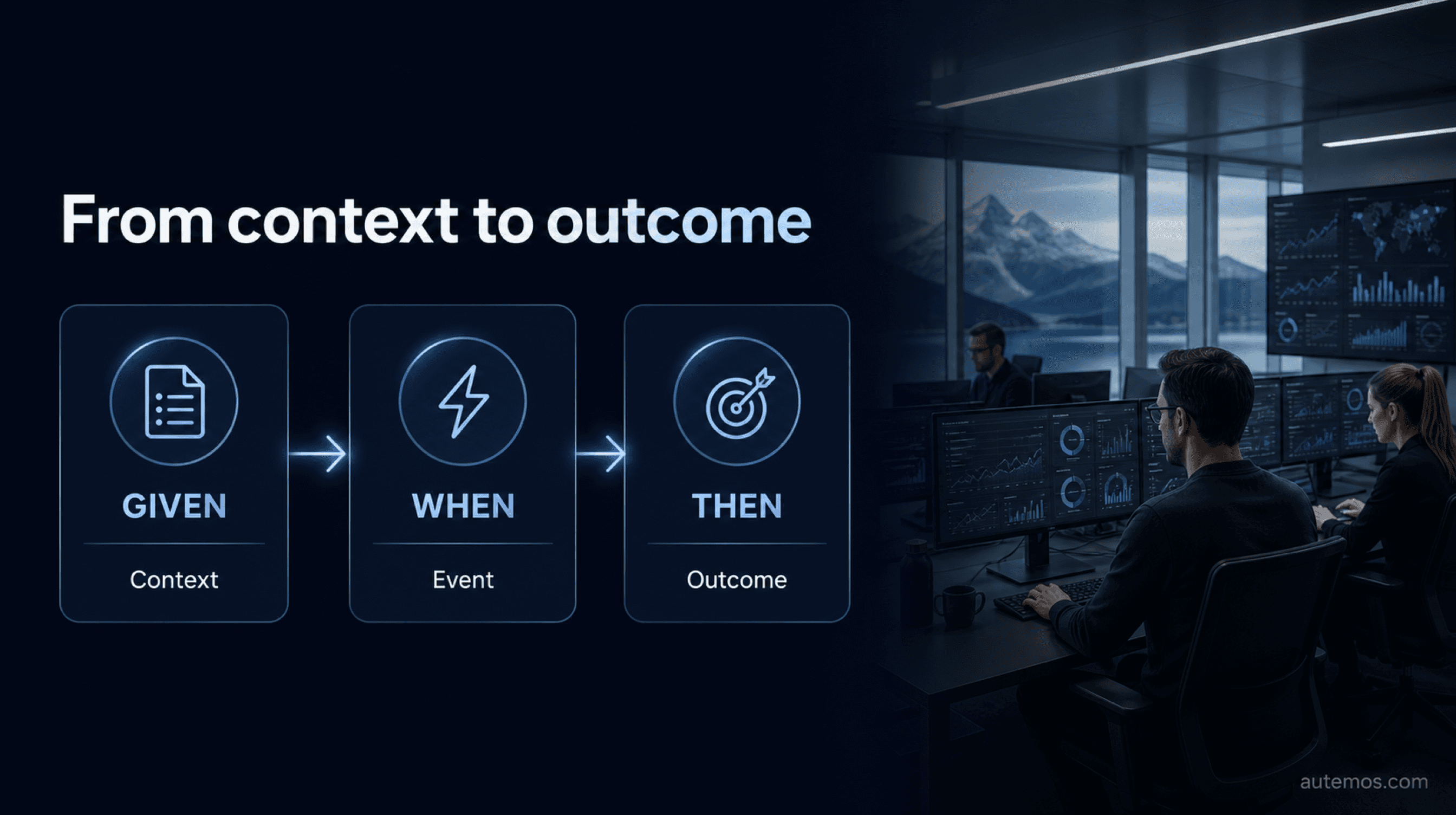
Figure 2: Given states the context, When the event, and Then the outcome.
Given states the starting context, When names the triggering behavior, and Then states an observable outcome. This structure comes from Specification by Example and is not exclusive to Cucumber (Martin Fowler, 2013). ISTQB describes the terms as precondition, action, and expected result (ISTQB, 2019).
`Given` prepares data, roles, or system state.
`When` names the event that triggers behavior.
`Then` checks a visible response, message, or status.
`And` and `But` continue the same reading structure.
Cucumber ignores the keyword when matching a Step Definition. `Given the customer is signed in` and `Then the customer is signed in` have identical step text and can create a duplicate match (Cucumber, 2026). Keywords organize meaning for readers. They do not select the implementation method.
A useful `Then` checks output at an observable system boundary, such as a transfer status, booking record, or message.
How does Scenario Outline work with Examples?
Scenario Outline replaces placeholders for every row under `Examples` and creates separate scenario executions. The Gherkin compiler creates one Pickle for each row (Cucumber Gherkin, 2026). A template with 2 data rows produces 2 executions.
Part | Syntax |
|---|---|
Template | `Scenario Outline: Check a transfer against the daily limit` |
Given | `Given the remaining daily limit is CHF <limit>` |
When | `When the customer transfers CHF <amount>` |
Then | `Then the status is <status>` |
Examples header | `limit, amount, status` |
Data row 1 | `1000, 250, accepted` |
Data row 2 | `1000, 1250, declined` |
Cucumber processes the template in this order:
It reads the column names `limit`, `amount`, and `status`.
The compiler replaces each placeholder with values from the first row.
Cucumber creates and runs the first scenario.
The same sequence repeats for the second row.
Every placeholder needs a matching column. The header creates no execution. An Outline without `Examples` is incomplete. The BDD Testing guide explains checks at API, service, component, or UI level.
How do Examples, Data Tables, and Doc Strings differ?

Figure 3: Examples creates executions, while Data Table and Doc String pass step data.
Examples multiplies a Scenario Outline, a Data Table passes structured values to one step, and a Doc String passes a longer text value. Each construct changes execution in a separate way (Cucumber, 2026).
Construct | Input | Effect | Common use |
|---|---|---|---|
`Examples` | table below Scenario Outline | one execution per data row | selected boundary values |
Data Table | table below a step | final argument for one Step Definition | several fields or records in one step |
Doc String | text between triple delimiters | final text argument for one Step Definition | JSON, messages, or document content |
How do you write maintainable Gherkin scenarios?
Maintainable Gherkin scenarios state one business rule through a few stable steps and an observable result. Cucumber gives a direct rule: “Your scenarios should describe the intended behaviour of the system, not the implementation” (Cucumber, 2026).
Discuss one concrete example with domain, development, and testing representatives.
State the single business rule demonstrated by that example.
Keep the scenario near 3 to 5 meaningful steps where the subject permits it.
Use domain terms and concrete values.
Check an observable effect in `Then`.
Remove clicks, selectors, URLs, and fixed waits from the business text.
Ask every participating role to review the wording.
The 3-to-5 recommendation is not a parser limit (Cucumber, 2026). A test plan can define ownership, test levels, and evidence.
Which Gherkin syntax errors occur most often?
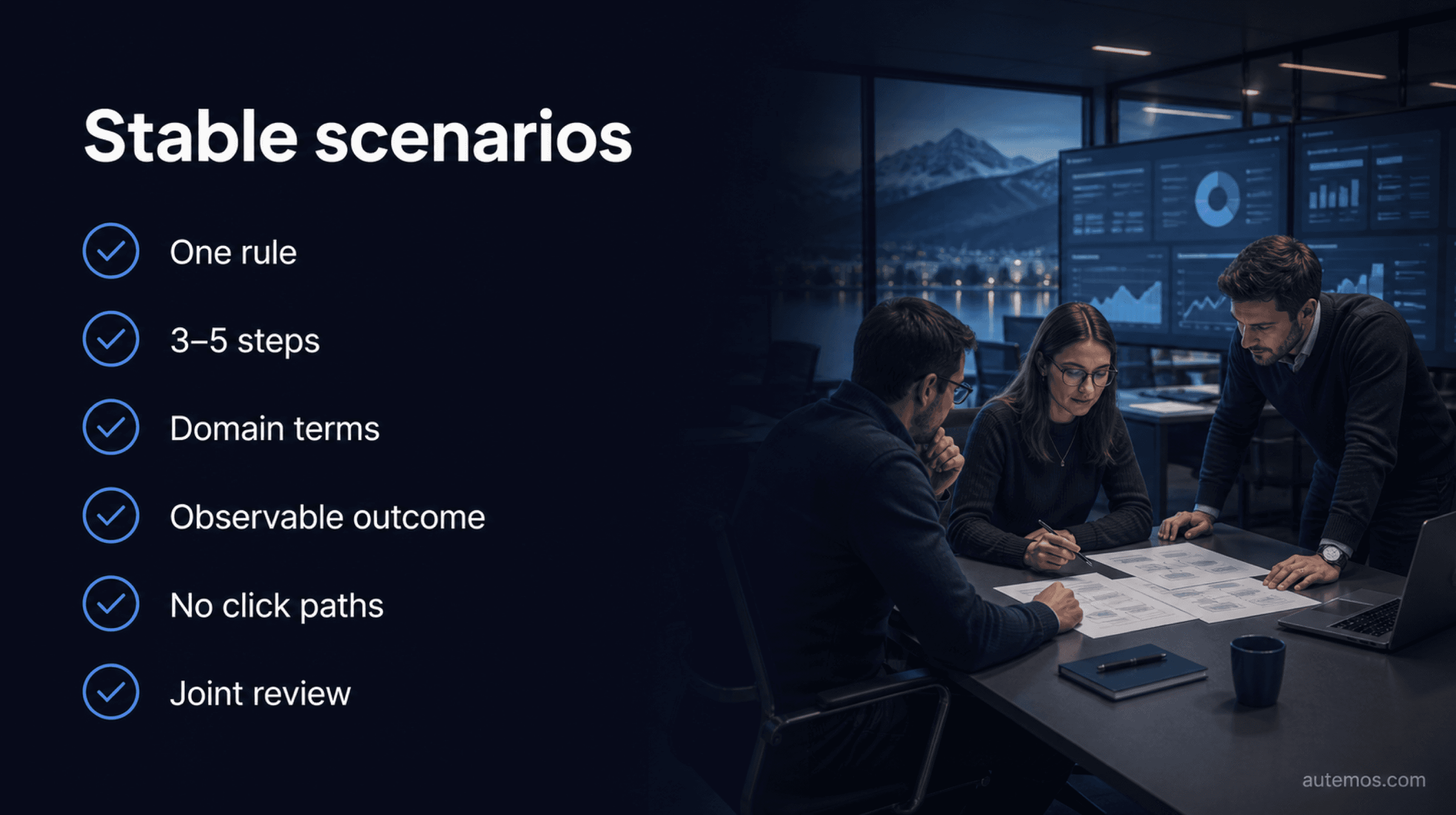
Figure 4: Six concise checks keep Gherkin domain-focused and maintainable.
Common Gherkin errors involve misplaced colons, missing Examples columns, inline comments, and mixed languages. Some files pass the parser and remain expensive to maintain.
A colon follows `Given`, `When`, or `Then`.
One file contains several `Feature` blocks.
A Scenario Outline has no `Examples` block.
A placeholder has no matching column heading.
A comment appears after a code line. Gherkin accepts comments only at the start of a new line.
A long `Background` hides relevant preconditions.
Steps switch languages without a domain reason.
Scenarios contain CSS selectors, click paths, or fixed waits.
A parser finds grammar failures. Writing failures need review. Define recurring domain concepts once. Cucumber warns against Feature-coupled Step Definition files (Cucumber, 2026).
Can Gherkin be written in German?
Gherkin supports more than 70 languages and selects German through `# language: de` on the first line (Cucumber, 2026). English is the default without a language header. German keywords include `Funktionalität`, `Regel`, `Szenario`, `Angenommen`, `Wenn`, `Dann`, and `Beispiele`.
The language header is `# language: de`. The example can then use German keywords:
Keyword | Example line |
|---|---|
Funktionalität | `Funktionalität: Überweisungslimit` |
Szenario | `Szenario: Betrag liegt innerhalb des Limits` |
Angenommen | `Angenommen das Tageslimit beträgt 1.000 CHF` |
Wenn | `Wenn der Kunde 250 CHF überweist` |
Dann | `Dann beträgt das verbleibende Limit 750 CHF` |
Use the language spoken by domain reviewers. Test the dialect with your Cucumber implementation and project version.
Where does Gherkin end and Autemos begin?
Gherkin ends with the structured specification, and Autemos creates tests from supported requirements or natural-language descriptions and presents them as visual workflows. Public product pages do not claim `.feature` file import or a Cucumber runner. Text processing alone cannot support that inference.
The AI Recorder can turn supported requirements into test artifacts. Check the required reviews and evidence before choosing an approach.
Frequently asked questions
These answers state the main syntax decisions in a form that can stand alone.
What is Gherkin syntax?
Gherkin is a grammar for structured behavioral examples in plain text. A `.feature` file contains one Feature, then rules, scenarios, and steps. Cucumber can parse that structure and bind its steps to Step Definitions (Cucumber, 2026).
What do Given, When, and Then mean?
Given states the starting context, When names the triggering behavior, and Then states the observable expected result. `And` and `But` extend the reading structure. The keywords guide readers and do not control Step Definition matching.
How do Scenario and Scenario Outline differ?
A Scenario describes one concrete example. A Scenario Outline contains placeholders and runs once for every row under `Examples`. One template with 2 data rows produces 2 scenario executions (Cucumber Gherkin, 2026).
How do Examples and a Data Table differ?
Examples creates several executions of a Scenario Outline. A Data Table passes structured values as the final argument to one Step Definition. It does not multiply the scenario.
Can Gherkin be written in German?
Yes. `# language: de` on the first line selects German keywords. Gherkin documents more than 70 languages, and English remains the default without a language header (Cucumber, 2026).
Conclusion
Gherkin syntax works well when each file states a recognizable business rule through a few concrete examples. Feature, Rule, and Scenario define the hierarchy. Given, When, and Then separate context, behavior, and outcome. Scenario Outline repeats selected data sets; Data Tables and Doc Strings pass input to individual steps. Grammar checks cannot catch technical click paths or vague domain wording. Reviews by domain, development, and test representatives keep terms consistent. Autemos can turn supported requirements and natural language into visual test workflows, yet its public documentation does not claim Gherkin import. To assess the right handoff for your test system, discuss your use case with us.