·
9 min
Parallel Testing: How to Cut Your CI Test Runtime

Roman Kirchmeier - Autemos

Parallel testing means splitting a test suite into independent parts and running them at the same time across several processes, machines, or containers. The goal is a shorter test runtime in CI. A suite that takes 40 minutes to run one test after another can finish in a fraction of that time on four workers. This guide shows, step by step, how to parallelize tests: split, isolate, run on several workers, then merge the results. You will see which tools support it, how to keep tests stable under parallelism, and the point at which extra workers stop helping.
In short: Parallel testing spreads a test suite across several workers and cuts CI runtime. With four equal shards, a suite runs four times faster, per the Playwright documentation. The precondition is isolated tests with no shared state, or the risk of unstable results goes up.
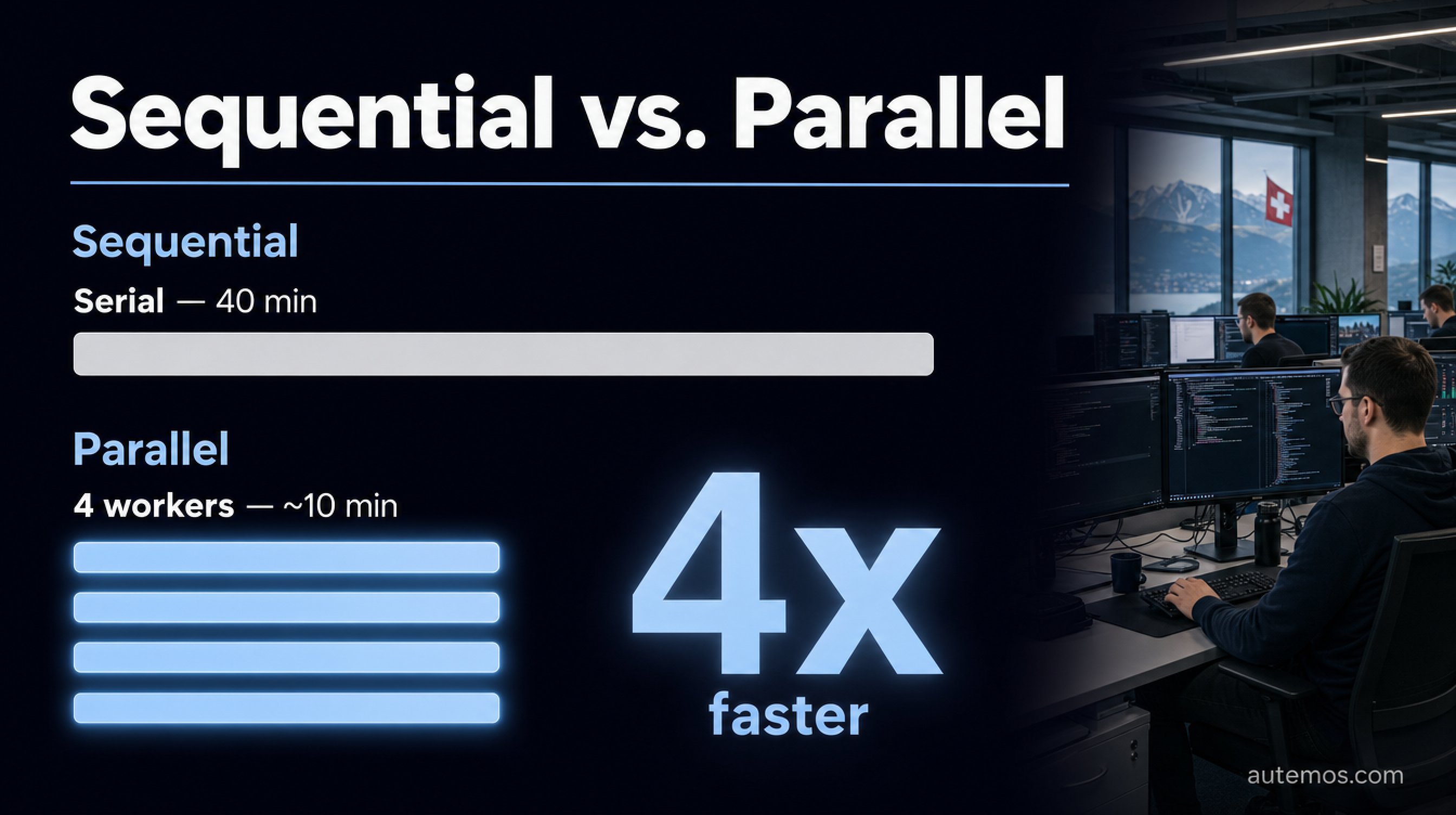
Figure 1: Serial versus parallel - four workers cut a 40-minute runtime to about 10 minutes.
What is parallel testing?
Parallel testing is a technique that splits a test suite into several independent groups and runs them concurrently, rather than one test after another. The result is a shorter total runtime with no test cases removed.
Test runtime is often the bottleneck in modern pipelines. Every commit triggers a build and a test run; if that run takes 40 minutes, developers wait 40 minutes for feedback. Testing continuously in the pipeline gives fast feedback only when the tests finish fast (DORA, 2024).
Serial execution gets slower with every test you add: twice as many tests means twice the wait. Parallel testing breaks that link by spreading the tests across several execution units that run at the same time.
How does parallelization cut test runtime?

Figure 2: Parallelize in four steps - split, isolate, run, merge.
Parallelization cuts test runtime by spreading the test cases across several workers that run concurrently. "The whole purpose is to divide your tests to speed up test runtime," says the Playwright documentation; split a suite into four shards across four parallel jobs and it finishes four times faster (Playwright, 2024).
Sharding means splitting the set of tests into subsets (shards); each worker runs exactly one shard. The run itself follows four steps:
Split: Break the suite into N shards of roughly equal size, by test file or by test case.
Isolate: Make sure each shard runs with no shared state and assumes no fixed order.
Run: Start the N shards simultaneously on N workers, containers, or machines.
Merge: Aggregate the partial results into one report that shows pass or fail across all shards.
A worked example: a suite of 800 tests that takes 40 minutes serially runs in about 10 minutes on four evenly loaded workers, in the ideal case. Real numbers land a bit higher, since startup, distribution, and merging all cost time.
Which tools support parallel tests?

Figure 3: Three tools for parallel tests - Playwright Workers, Selenium Grid, and pytest-xdist compared.
Several established tools run tests in parallel, each with its own model: Playwright spreads work across worker processes, Selenium Grid across multiple browser nodes, and pytest-xdist across multiple CPU cores. The CI runner adds a second layer of parallelism at the job level.
"Stages run in sequence, while the jobs in a stage run in parallel," is how the GitLab documentation describes the base principle; the parallel keyword starts N job instances, each taking a portion of the tests (GitLab, 2024).
Tool | Parallelization model | Typical use |
|---|---|---|
Playwright Workers | Worker processes per CPU core, plus sharding across machines | Browser E2E tests |
Selenium Grid | Distribution across multiple nodes and browsers at once | Cross-browser tests through a hub |
pytest-xdist | Distribution across CPU cores or remote hosts | Python unit and integration tests |
Autemos is compatible with Playwright, Selenium, and Appium codebases and runs web, mobile, API, and desktop tests in one pipeline. In client projects we see that combining framework-level parallelism with CI job-level parallelism yields the biggest time savings.
How do parallel tests stay stable?
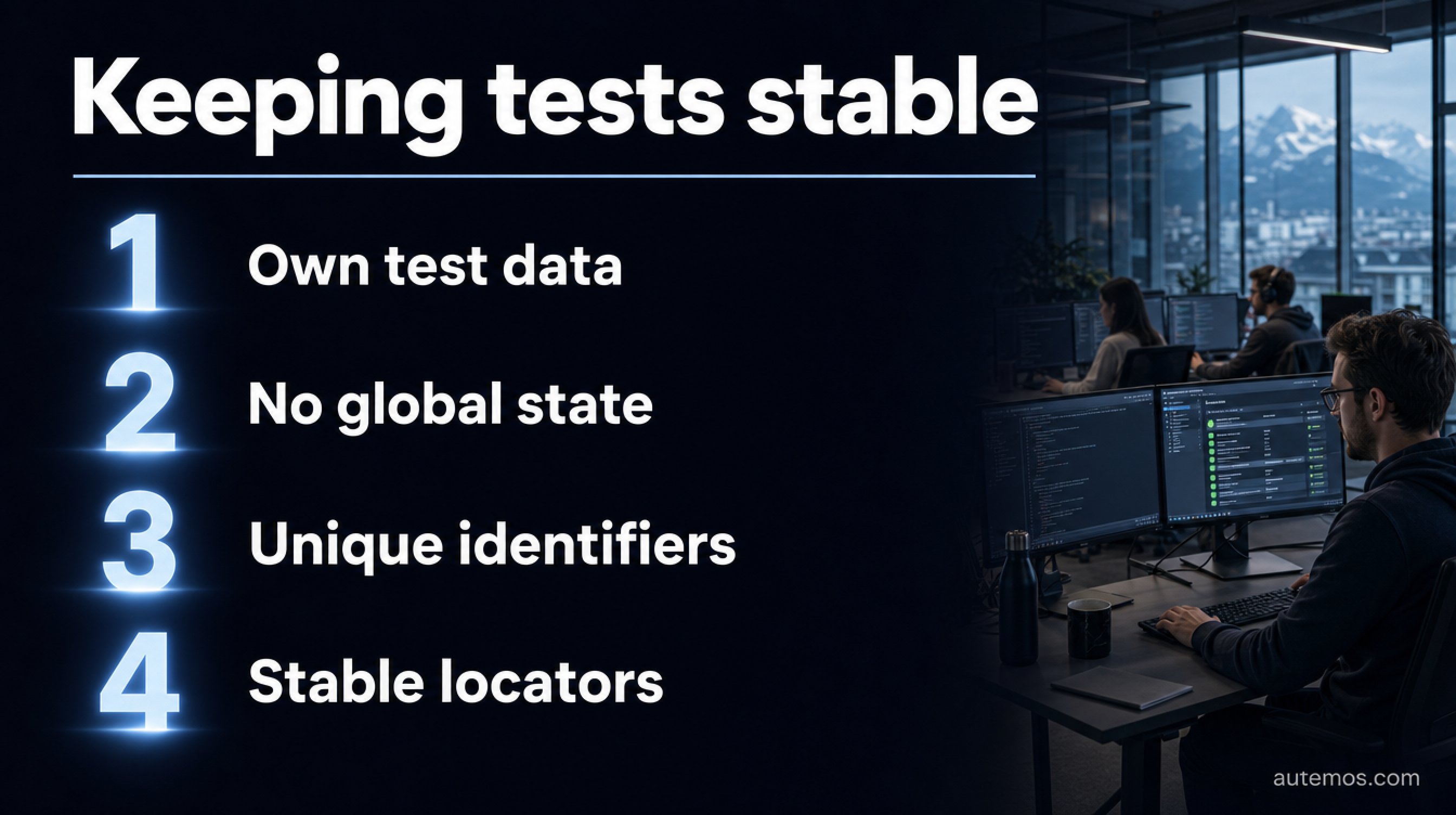
Figure 4: Four practices that keep parallel tests stable and avoid flakiness.
Parallel tests stay stable when each test runs independently: no shared data, no fixed order, no common resources without safeguards. As soon as two tests touch the same database row or file, you get unstable ("flaky") results that pass sometimes and fail other times.
Flakiness shows up most under parallelism. The first large empirical study of flaky tests examined 201 commits that fixed flaky tests across 51 Apache projects; the top causes were asynchronous waiting, concurrency, and dependence on test order (Luo et al., FSE 2014). Those same causes appear more often under parallel execution.
One widely cited figure from Google shows how common the problem is: around 16 percent of tests had some degree of flakiness (John Micco / Google, GTAC 2016, reported). That number comes from a talk, not a peer-reviewed publication, and should be read with care.
Practices that keep tests stable under parallelism:
Each test creates its own test data and cleans it up afterward.
No global state between tests; fixtures per test or per worker.
Unique identifiers (per worker, for example) for files, user accounts, and database schemas.
Stable locators that survive UI changes, so a moved element does not fail whole shards.
That last point matters in CI: self-healing locators catch small UI changes and prevent false alarms that would otherwise turn a full parallel run red. The article on self-healing locators covers this in depth. Teams that use parallel runs for regression testing gain twice over, since the large, repeating suite takes the biggest share of the time.
When do more parallel workers stop helping?
Extra workers stop saving time past a certain point, since part of the work cannot be parallelized. The build, shard distribution, test environment setup, and result merging run independently of the worker count. This fixed portion sets a lower bound on the runtime you can reach.
An example: if the non-parallelizable steps take 5 minutes, the suite never drops under 5 minutes, no matter how many workers run. Going from 4 to 8 workers halves the parallelizable part; going from 16 to 32 barely moves it, and infrastructure cost keeps climbing.
Three limits put a natural end to parallelism:
Fixed remainder: Non-parallelizable steps set the minimum runtime.
Uneven shards: If one shard is much slower, the pipeline waits on it, not on the average.
Infrastructure: More workers mean more CI minutes, more containers, and a higher cost per run.
In practice, raise the shard count until the time saved per extra worker gets small, then fix the uneven distribution. The article on test automation in CI/CD and the continuous testing overview show how this fits into a full pipeline.
Frequently asked questions
What is the difference between sharding and parallel workers?
Sharding splits the set of tests into subsets; workers are the processes or machines that run those subsets. Sharding answers "which tests run together," workers answer "where they run." Together they make up parallel testing: N shards on N workers.
How many parallel workers make sense?
The right worker count is the one at which each added worker still saves noticeable time. In practice that often sits between 4 and 16 for E2E suites, depending on the fixed, non-parallelizable share and the CI budget. Past that, the benefit per worker drops sharply.
Do parallel tests make results less stable?
Parallel tests turn unstable only when they rely on shared state or a fixed order. Isolated tests with their own data and no global resources run as reliably in parallel as in series. The main causes of flakiness are asynchronous waiting and concurrency (Luo et al., FSE 2014).
Can I parallelize tests without rewriting the code?
Partly: tools such as Playwright and pytest-xdist distribute existing tests automatically, as long as those tests are independent. The preconditions are isolated test data and no shared state. Tests that rely on global data or a fixed order must be decoupled first.
Which tool fits parallel browser tests?
For parallel browser tests, Playwright with worker processes and Selenium Grid with multiple nodes both fit well. Playwright parallelizes within one machine and across shards; Selenium Grid spreads tests through a hub onto several browser nodes. The choice depends on your existing codebase.
Conclusion
Parallel testing is the most direct way to cut test runtime in CI: split the suite, isolate the tests, run on several workers, merge the results. With four shards a suite runs four times faster, per Playwright, and the effect grows with the worker count until the fixed, non-parallelizable share sets the limit. The price is discipline in test isolation: without independent tests that share no state, the time saved turns into unstable results. Teams that lay that groundwork win back fast feedback for every commit. Autemos runs parallel web, mobile, API, and desktop tests in one pipeline and syncs the results with GitLab, GitHub Actions, and Jenkins. Take a look at the Autemos AI recorder or talk to us about your pipeline.


