·
8 min
Test environment: definition, stages from development to staging, and what automated tests need

Roman Kirchmeier - Autemos

A test environment is the separate combination of hardware, software, data and support tools where you check software before it goes live. Microsoft describes four common stages: Development, Test, Staging and Production (Microsoft Learn, 2025). Automated tests depend on two properties: the environment resembles production, and its data can be reset for every run. Banks and insurers in the EU have had binding DORA rules on this since January 2025. If you're introducing test automation in your company, plan the environment from the first pilot project.
TL;DR: A test environment is the hardware, software and data setup where you check software before release. Microsoft describes four common stages: Development, Test, Staging, Production. Automated tests need production-like configuration, one deployment mechanism and resettable test data. Under DORA RTS 2024/1774, EU banks may store only anonymized, pseudonymized or randomized production data there, except with approval.
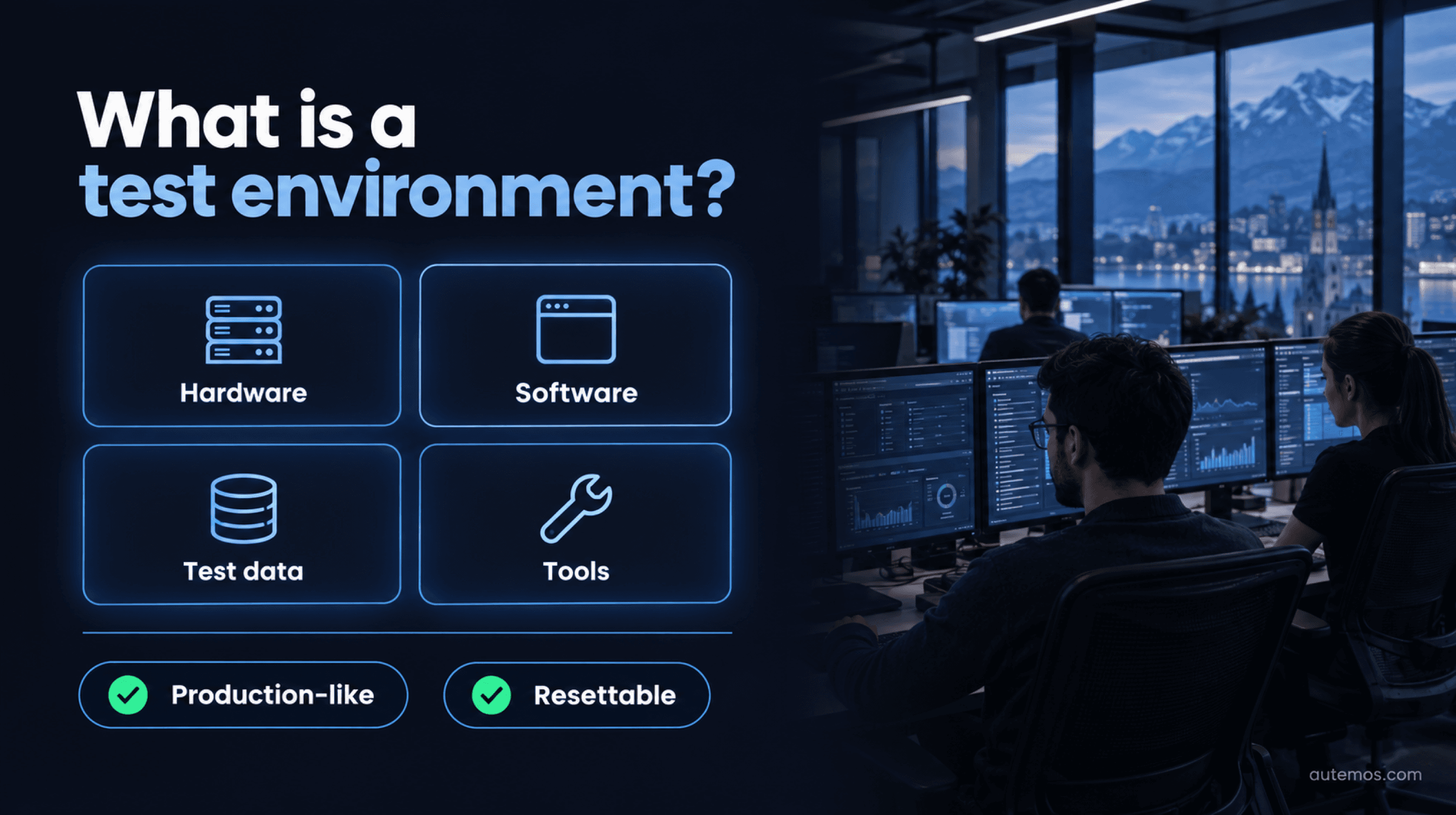
Figure 1: The building blocks of a test environment
What is a test environment?
A test environment is a technical environment that provides everything a test needs to run: hardware, software tools, simulators, instrumentation and other support elements. Teams often just call these environments “test”, “QA” or “INT”.
The ISTQB Foundation Level syllabus covers environment setup in test implementation: the team builds the environment and verifies that it's set up correctly. The syllabus lists its items verbatim: “Examples of test environment items include: stubs, drivers, simulators, and service virtualizations.” (ISTQB CTFL 4.0.1, 2024). After test completion, the team returns the environment to an agreed state.
What the four items do:
Stubs replace a called component and return prepared answers.
Drivers call the component under test when the real caller doesn't exist yet.
Simulators reproduce hardware or third-party systems, such as a card terminal.
Service virtualizations mimic whole services, such as a core banking interface that isn't available during the test window.
Why do stable automated tests depend on their environment?
Automated tests give reliable results only when the environment behaves the same on every run and comes close to production. AWS lists the opposite as a common anti-pattern: “You run automated tests in an environment that does not closely resemble the production environment.” (AWS Well-Architected, REL08-BP02, 2026).
Differences between environments have a name: configuration drift. Microsoft writes that configuration drift “can result in data loss, slower deployments, and failures” (Microsoft Learn, 2025). Environments kept as similar as possible make environment-related errors show up in the first phases of testing.
Solid current numbers on the effort are missing. The most cited one comes from the 2019 Continuous Testing Report by Capgemini and Sogeti, a Broadcom-sponsored survey among 500 senior IT executives: 40% said their teams spend more than half their time building and maintaining their environments (Capgemini, 2019). The figure is old and vendor-backed, so read it as a signal.
Flaky tests pass and fail on the same code. At Google, almost 16% of tests had “some level of flakiness” (Google Testing Blog, 2016), a figure that covers all causes. An environment that changes its configuration between two runs is one cause you control yourself.
What stages does a test environment have?
The common chain has four stages: Development, Test, Staging and Production (Microsoft Learn, Cloud Adoption Framework, 2025). Some teams add an integration stage between test and staging. Microsoft mentions a user acceptance test (UAT) environment as an option.

Figure 2: Stages from dev to production (source: Microsoft Learn, 2025)
Stage | Purpose | Typical tests | Test data |
|---|---|---|---|
Development (Dev) | Developers build and check changes, often in short-lived environments | Unit tests, first component tests | Synthetic, small |
Test (QA) | Human testers or automated tests try out new and updated code | Functional tests, component-level regression tests | Synthetic or anonymized |
Integration | Components and interfaces working together | Integration tests, API tests, contract tests | Dedicated datasets per interface |
Staging (pre-prod) | Final check right before deployment, as close to production as possible | Smoke tests, E2E regression, acceptance (UAT) | Anonymized or pseudonymized data |
Production | The environment users interact with directly | Monitoring, smoke checks after deployment; tests only as an approved exception (EU financial sector) | Real data |
The table shows typical assignments. Your test strategy decides which tests run in which stage and who signs off each stage.
What is a staging environment?
A staging environment is the last stage before production, where you check a release under conditions as close to real as possible. Microsoft writes: “Each staging environment should mirror an actual production environment as accurately as possible.” (Microsoft Learn, 2025). For critical workloads, Azure Well-Architected asks for at least one staging environment that fully reflects production (Microsoft Learn, 2026). Microsoft accepts simplifications in the lower environments.
What does dev/prod parity mean?
Dev/prod parity is the principle of keeping development, staging and production as similar as possible. The Twelve-Factor App states it as a heading: “Keep development, staging, and production as similar as possible” (12factor.net, 2011). It names three gaps: time, personnel and tools. Its tools example is SQLite on the laptop and PostgreSQL in production. It recommends backing services of the same type and version across all stages.
What do automated tests need from a test environment?
Automated tests need an environment that is deployed automatically, runs in isolation and provides fresh test data for every run:
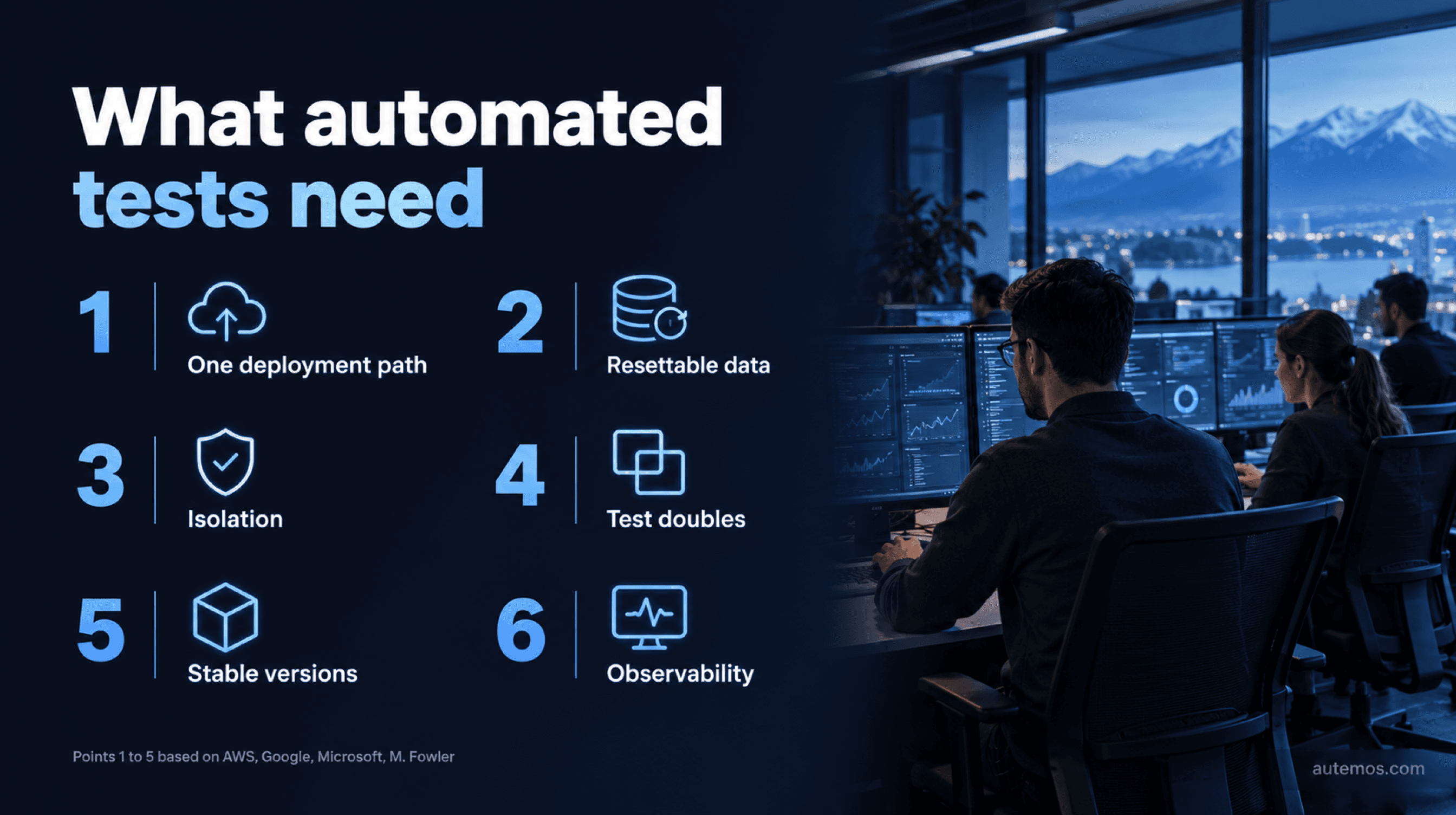
Figure 3: Six things automated tests need from the environment
One deployment mechanism for all stages. AWS writes: “The same deployment mechanism should be used to deploy the application to all environments.” AWS rates the risk of skipping this as “High” (AWS, 2026). The article on test automation in CI/CD shows what this looks like in a pipeline.
Resettable, short-lived test data. Google warns that “leftover test data may alter future tests and/or production systems” and advises: “Where possible keep your test data ephemeral.” (Google Testing Blog, 2016).
Isolation. Microsoft recommends not sharing components across environments and keeping test data separable from real user content (Microsoft Learn, 2026). For parallel test execution, this means no run changes data that another run is reading.
Test doubles and service virtualization. Martin Fowler defines: “Test Double is a generic term for any case where you replace a production object for testing purposes.” (martinfowler.com, 2006).
Stable, known versions. Backing services run in the same type and version as in production. Microsoft prohibits manual operations against all environments except fully independent developer environments (Microsoft Learn, 2026).
Observability. Logs, metrics and test reports per run show whether a red test comes from the code, the data or the environment.
The ISTQB Test Automation Strategy syllabus (CT-TAS) lists five test automation components in the environment: the system under test (SUT), the platform (cloud, network, VMs or containers), test cases and suites, tools, and the test automation framework (TAF). It warns against too much machinery: “overcomplicating the test environment may result in hours of unwanted time fixing defects in the TAF instead of benefiting from the solution.” (ISTQB CT-TAS, 2024).
What are ephemeral environments and review apps?
Ephemeral environments are short-lived environments created for a branch or merge request and removed afterwards. GitLab describes review apps as “temporary testing environments that are created automatically for each branch or merge request” (GitLab Docs, 2026). Microsoft recommends the same pattern for critical workloads: tear down test and staging environments once tests are complete (Microsoft Learn, 2026).
What rules apply to test environments at banks and insurers?
EU financial entities must strictly separate production from development and testing and may store only anonymized, pseudonymized or randomized production data in non-production environments. That's set out in Commission Delegated Regulation (EU) 2024/1774, the regulatory technical standards (RTS) on ICT risk management under DORA (EUR-Lex, 2024). DORA itself, Regulation (EU) 2022/2554, has applied since January 17, 2025.
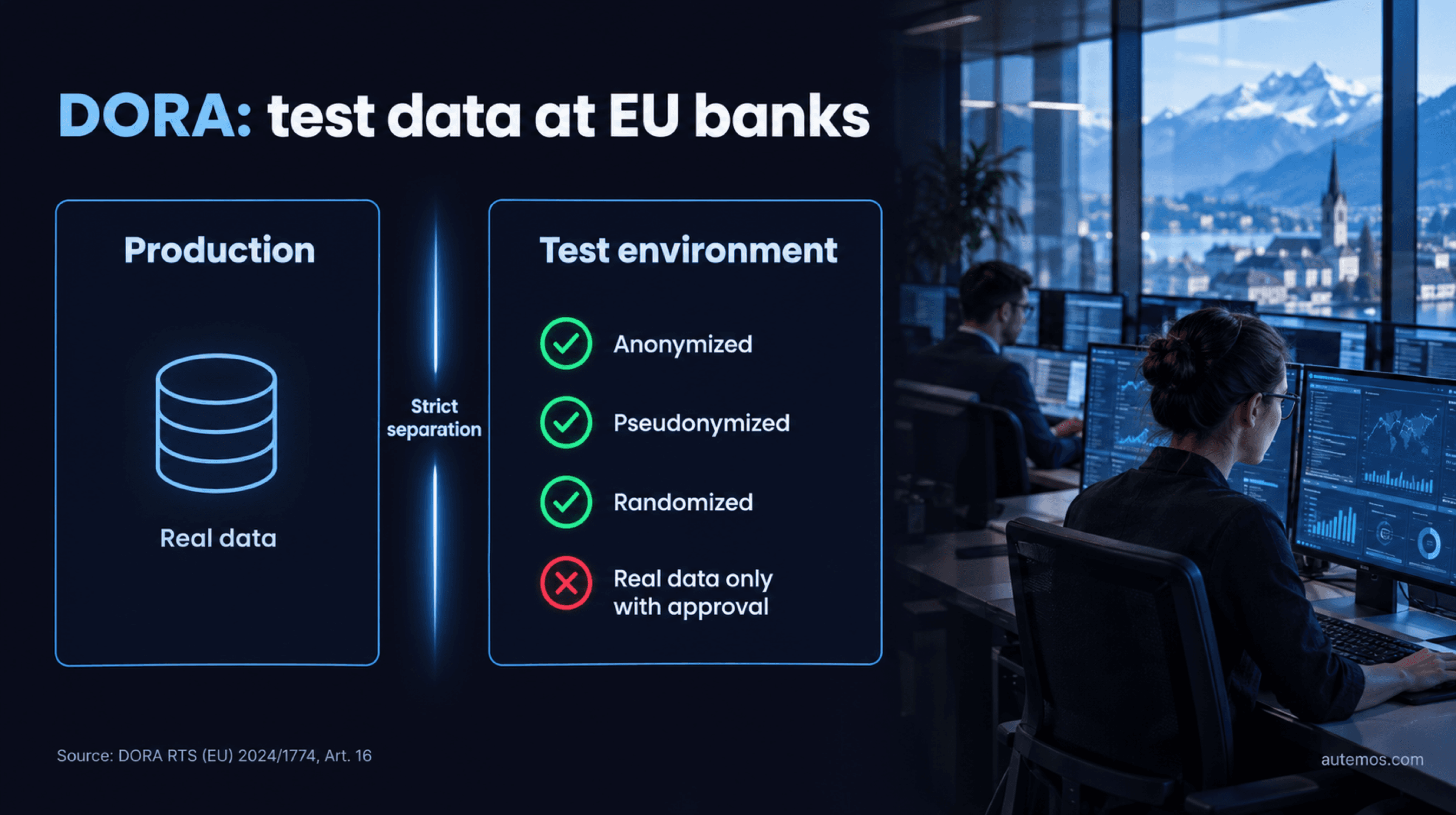
Figure 4: Test data under DORA RTS 2024/1774, Art. 16
Recital 10 names as a protective measure “the strict separation of ICT production environments from the environments where ICT systems are developed and tested”. Articles 8 and 16 turn this into concrete duties:
Separation: production is separated from development, testing and other non-production environments (Art. 8(2)(b)(v) and (vi)).
Testing in production: only when the instances are “clearly identified, reasoned, are for limited periods of time, and are approved by the relevant function” (Art. 8(2)(b)(vii)).
Test data: “non-production environments only store anonymised, pseudonymised, or randomised production data” (Art. 16(5)).
Exception: real production data only for specific testing occasions, for limited periods, with approval and reporting to the ICT risk management function (Art. 16(6)).
DORA is EU law; for Swiss institutions it matters where they operate EU entities. In Switzerland, the revised Federal Act on Data Protection (nDSG/FADP, in force since September 1, 2023) sets the frame.
Art. 6(3) ties personal data to a specific purpose that the data subject can recognize. Art. 6(4) requires that data be destroyed or anonymized once no longer needed for that purpose. Art. 7 requires data protection by design from the planning stage onward (Fedlex, nDSG, 2023).
Our reading, not a statement in the law itself: copying customer data from production into a test system processes it for a new purpose that needs justification. Anonymized data avoids that question. The article on GDPR-compliant test data covers anonymization and synthetic data in detail.
For Swiss banks and securities firms, FINMA Circular 2023/1 on operational risks and resilience has applied since January 1, 2024. Its change management section states: “Es ist eine Trennung zwischen den Umgebungen für die Entwicklung oder das Testen und der Umgebung für die IKT-Produktion sicherzustellen.” That means development and testing environments must stay separate from ICT production (FINMA Circular 2023/1, 2022).
How does Autemos run the same tests across several environments?
Autemos is AI-assisted software for functional test automation across web, mobile, API and desktop that runs the same test workflows against test, integration or staging with configuration per environment. Autemos test data handling loads datasets from CSV, XLSX or JSON, or from external sources such as REST APIs and databases.
Variables are scoped per run, per project or per tenant (RUN, PROJECT, TENANT). One-time-use data is flagged, so parallel runs don't consume it twice. For banks that must keep test runs inside their own network, there's an OnPrem option.
Autemos doesn't provision or host environments. It doesn't anonymize production data. Both stay with your infrastructure, your pipeline and your data protection tooling. Which test cases belong in these environments is a question for the criteria for automatable tests.
Frequently asked questions
What is the difference between a test environment and a staging environment?
A staging environment is one specific test environment: the last stage before production, meant to resemble production as closely as possible. The umbrella term covers every environment where testing happens, from dev through QA and integration to staging.
How many test environments does a team need?
There's no fixed number; Microsoft's common architecture has four stages. A small team can start with dev, one shared QA environment and staging. Short-lived review apps per merge request, which GitLab creates automatically, can replace some permanent environments.
Can real production data be used for testing?
EU financial entities may store only anonymized, pseudonymized or randomized production data in non-production environments, under Art. 16(5) of DORA RTS 2024/1774. Real data is allowed only as an exception: for specific testing occasions, time-limited, approved and reported. In Switzerland, the nDSG requires purpose limitation and anonymization once data is no longer needed. More on test data under GDPR.
What is service virtualization?
Service virtualization is a technique that mimics the behavior of a real service so tests can run without the original system. The ISTQB syllabus lists it next to stubs, drivers and simulators. A typical use: interfaces to third-party systems that aren't available in test or integration, or that charge per call.
Can you test in production?
For EU financial entities, testing in production is allowed only as a justified exception. DORA RTS 2024/1774 requires such tests to be clearly identified, reasoned, time-limited and approved by the relevant function. Whether smoke checks right after a deployment count as testing in production is a question for your compliance team.
Conclusion
You can recognize a good test environment by this: a red test points to a defect in the code. That takes clearly separated stages from dev to production, a staging environment that mirrors production as closely as possible, one deployment mechanism for all stages, and test data you can reset after every run. For banks and insurers in the EU, DORA RTS 2024/1774 adds strict separation, testing in production only with approval, and only anonymized, pseudonymized or randomized production data in test systems. Start small: the CT-TAS syllabus warns against overcomplicated environments. If you'd like to see how Autemos runs test workflows with per-environment configuration and well-managed test data, book a demo with our team.


