·
8 min
Mobile Test Automation: Testing Apps Reliably at Scale

Roman Kirchmeier - Autemos

Mobile test automation decides whether a release cycle takes days or weeks. Yet 43% of mobile developers name testing as their single biggest productivity bottleneck (JetBrains DevEcosystem 2024, 2024). The blocker usually lives in execution: flaky tests, manual signing, emulators that behave differently from real hardware.
This guide walks through it step by step. You'll see when mobile test automation pays off, how to choose a framework and device strategy, how to write resilient tests, and how to wire everything into CI/CD, with numbers we attribute honestly rather than inflate.
TL;DR: Mobile test automation pays off from the first recurring regression run. The biggest hidden cost is instability: engineers spend 7.8% of their time on flaky tests (LambdaTest via Katalon, 2024). Choose framework, devices and CI/CD deliberately, and that overhead drops sharply.
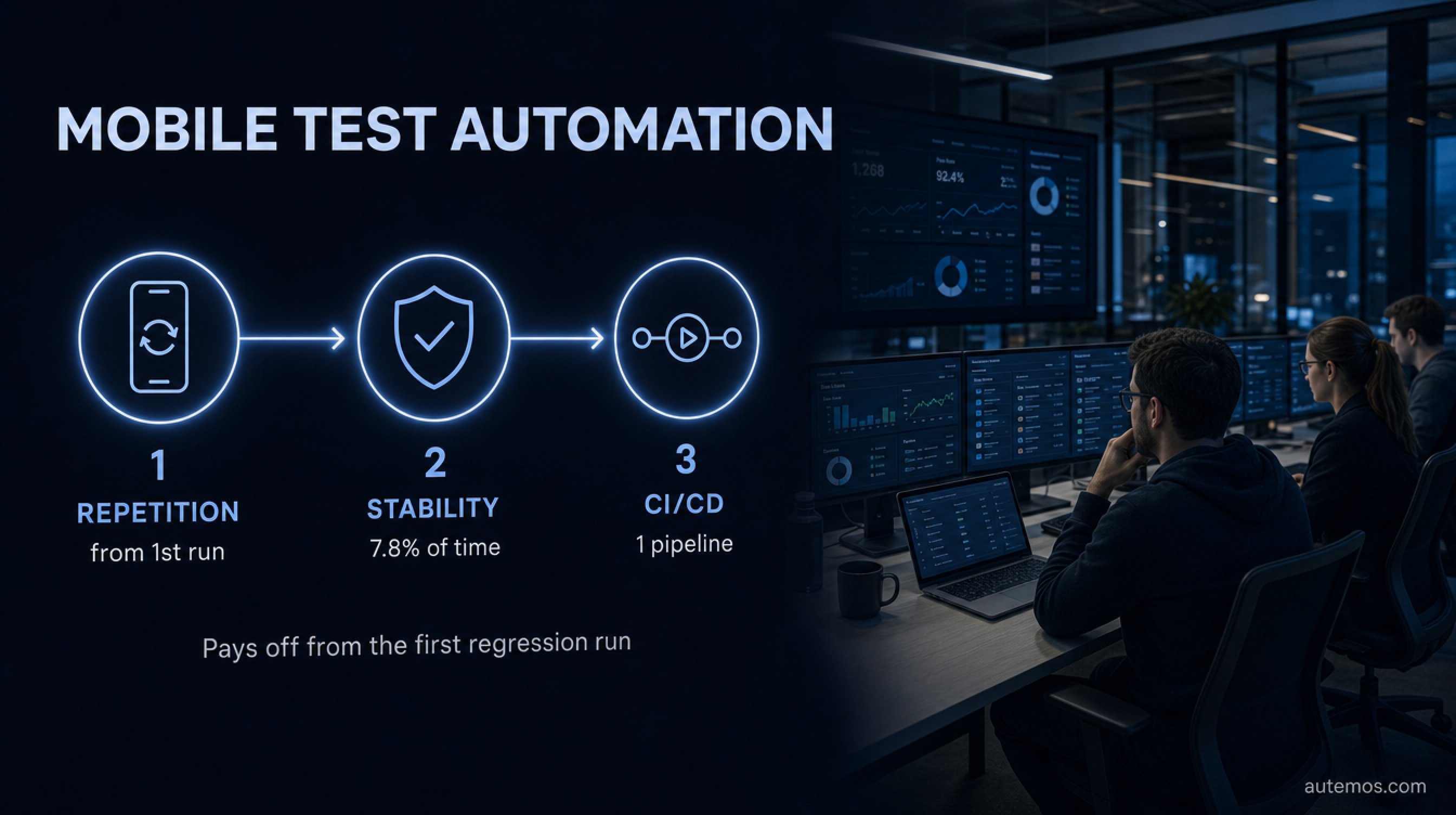
Figure 1: Why mobile test automation pays off from the first regression run.
What is mobile test automation, and when does it pay off?
Mobile test automation is a practice that runs tests for iOS and Android apps by script rather than by hand. It pays off the moment you verify the same flow repeatedly, such as on every release. Even the entry point delivers: roughly half of teams still automate only 24% of their tests or fewer (LambdaTest via Katalon, 2024).
The leverage lives in repetition. Manual testing is cheap the first time and expensive the hundredth. Automation flips that. A regression run that ties up half a day manually runs overnight when automated, across ten devices in parallel.
Not everything belongs in automation. Exploratory testing, one-off UX reviews and heavily visual edge cases often stay human. The rule of thumb: automate stable, recurring paths. Leave the creative probing to your testers.
In customer projects we usually see the tipping point at the third manual regression run of the same flow. By then, not automating costs more than building it.
How do you choose the right test framework?
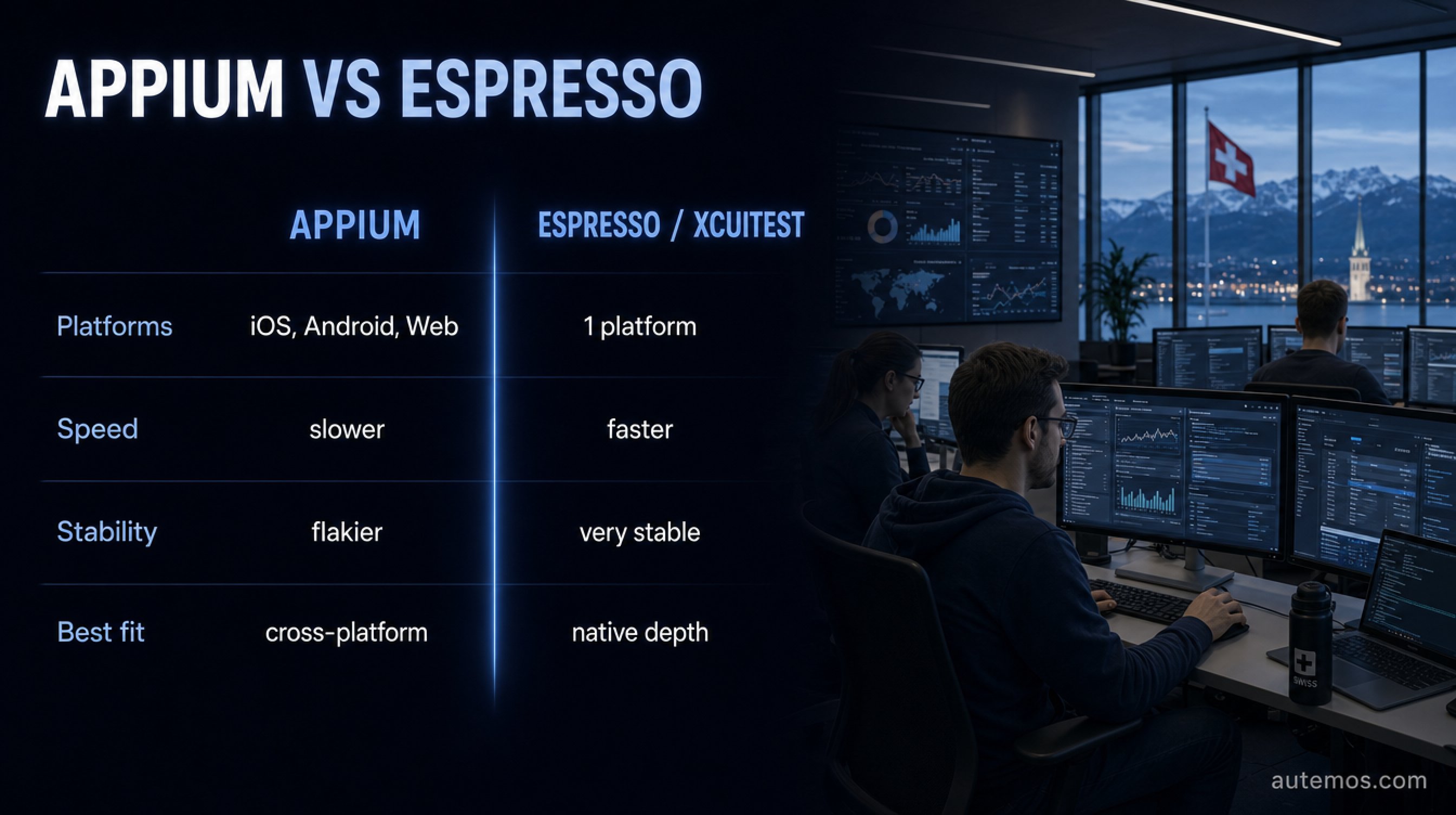
Figure 2: Appium versus native frameworks – platform reach against speed and stability.
Choosing a framework is a trade-off between platform reach and speed. Appium covers iOS, Android and web through one API and builds on the W3C WebDriver protocol (Appium Docs, 2024). Native frameworks like Espresso and XCUITest run faster and more stably but are locked to one platform (BrowserStack, 2024).
Appium 2.x is modular: a lean core, with drivers and plugins added via CLI (`appium driver install …`). On Android it uses UiAutomator2; on iOS, XCUITest through the WebDriverAgent (Appium Docs, 2024). Per the Appium documentation, "Drivers are simply Node.js classes that extend a special class included in Appium, called `BaseDriver`." With around 21,700 GitHub stars, the project is the de facto standard for cross-platform automation.
Speed has a price, though. In one vendor benchmark, Appium ran roughly 4–4.5x slower than Espresso (18:47 vs 4:12 for 50 tests) and was 22% flaky on the first run versus 2% for Espresso (Autonoma, 2026). That figure comes from a vendor, so treat it as a direction, not a law. The root cause is plausible: Appium is an external client blind to the app's main thread, while Espresso's `IdlingResource` syncs automatically.
Criterion | Appium | Espresso / XCUITest |
|---|---|---|
Platforms | iOS, Android, web (one API) | one platform each |
Speed | slower (external client) | native, faster |
Stability (first run) | flakier without tuning | very stable |
Language | many (Java, Python, JS …) | Kotlin/Java or Swift |
Best fit | cross-platform suite | deep native checks |
For a deeper comparison, see our piece on Appium for mobile test automation.
Which device strategy do you need: emulator or real device?
Both, but for different phases. Emulators and simulators are fast and cheap for early functional and UI iteration. Real devices are non-negotiable for performance, battery, sensors, biometrics and real network fluctuation (BrowserStack, 2024). Per BrowserStack, "Real devices exhibit accurate results and allow for testing in the same condition as a user." Rely on emulators alone and you invite the classic "passes on emulator, fails on device."
The technical reason is real. Emulators often run on x86, real devices on ARM, so compilation and behavior can diverge (BrowserStack, 2024). CPU, battery and memory simply can't be measured reliably on an emulator.
A sensible split:
Early in the sprint: emulators for broad config sweeps and fast UI checks.
Before release: real devices for performance, sensors and sign-off.
Device cloud: for parallelism and coverage without owning a device lab.
Watch the cost of device clouds. An entry tier sits around USD 199/month for one parallel run (BrowserStack, 2024); at high parallelism, that climbs into five-figure annual bills fast. Regulated firms in the DACH region face an added question of data residency. An on-prem device lab there is often less a luxury than a compliance requirement. More in our comparison of real device vs emulator.
How do you write resilient, low-maintenance tests?
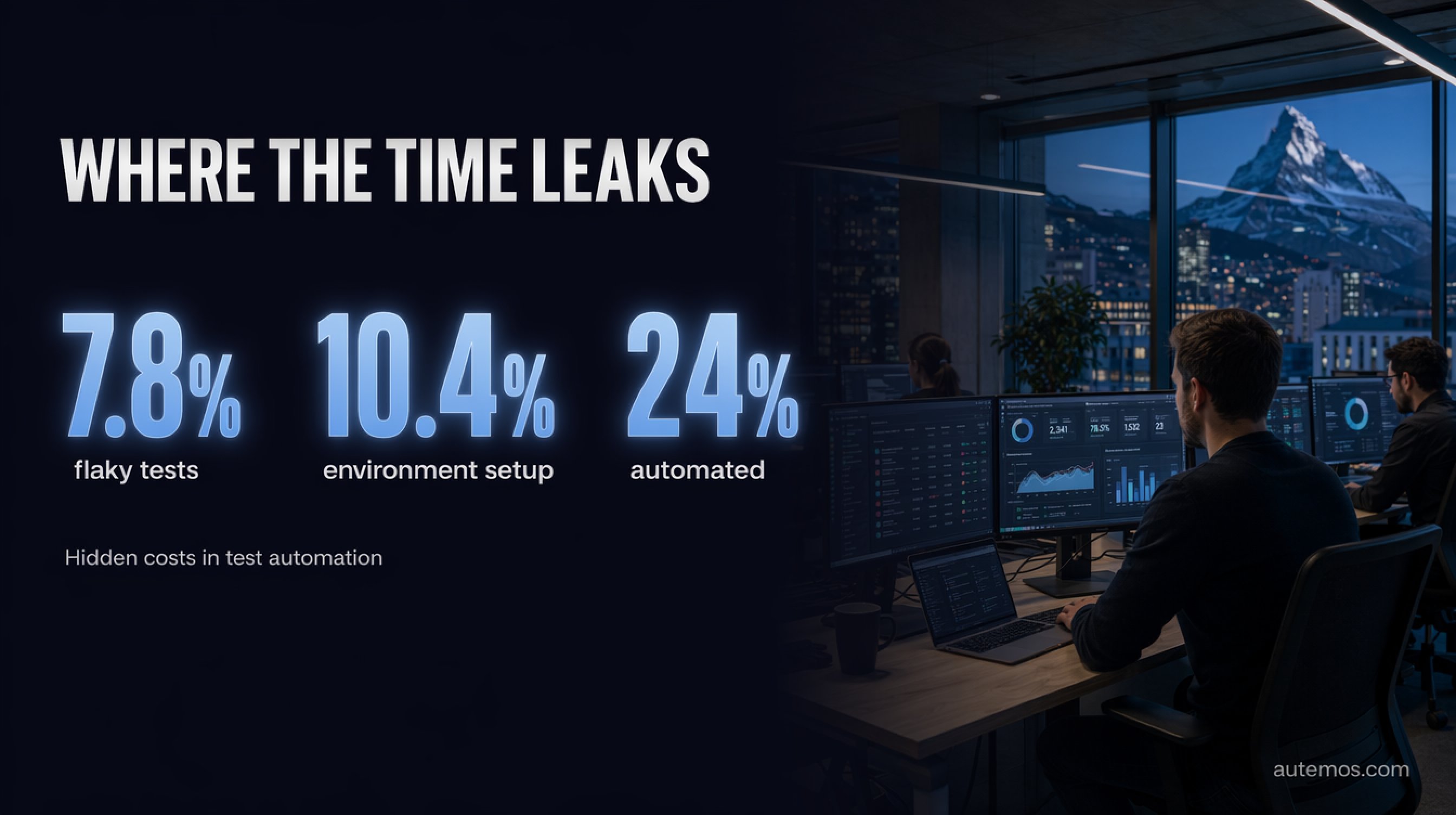
Figure 3: Where the time leaks – hidden costs in mobile test automation.
Resilient tests start with stable locators and explicit waits. The most expensive mistake is the fixed delay (`sleep`), which is either too short (flaky) or too long (slow). Since engineers already lose 7.8% of their time to flaky tests (LambdaTest via Katalon, 2024), every hour spent on stability pays back twice.
Six principles that hold up in practice:
Stable selectors: test IDs, not text or XPath that breaks on every layout change.
Explicit waits: wait on states, never on fixed seconds.
Isolated tests: no test should depend on another's outcome.
Page-object pattern: encapsulate UI logic so changes land in one place.
Deterministic test data: fresh data per run, no shared state.
Meaningful failures: a failure must reveal the cause, not just say "failed."
A test that turns red for no reason on every second run is worse than no test at all. The team learns to ignore red builds and misses the real defects.
Maintenance is the silent main cost. Every UI change can break dozens of locators. That's exactly where strategies to reduce test maintenance with AI come in.
How does AI actually reduce maintenance effort?
AI mostly cuts maintenance by repairing broken locators automatically. Self-healing tests spot a moved or renamed element and pick an alternative, with no human in the loop. Vendors advertise 50–80%, sometimes 95%, less maintenance (Drizz, 2026). Those numbers are marketing; treat them skeptically.
It's more honest to anchor the value on the sourced figure: if flaky tests consume 7.8% of engineer time, even a partial reduction is real money. Self-healing follows roughly four architectures: selector fallback, multi-locator fingerprinting, NLP remapping, and vision-based approaches with no selectors at all (Drizz, 2026).
Vision-AI is the most resilient approach: the system recognizes UI elements visually, like a person, so it shrugs off code and layout changes. Our article on self-healing locators explains how. For a peer-reviewed survey of AI-assisted testing, see the research (arXiv 2409.00411, 2024).
In customer projects we see the biggest effect not in test creation but in maintenance across many releases, exactly where manual suites slowly rot.
How do you integrate mobile tests into CI/CD?

Figure 4: The five steps of a mobile CI/CD pipeline – build, sign, distribute, test, report.
Mobile CI/CD is more than "run the tests": you must build, sign, distribute, then execute on devices. Since engineers spend 10.4% of their time just setting up environments (LambdaTest via Katalon, 2024), a reproducible pipeline isn't a nice-to-have. It's the real lever.
iOS demands Apple signing and provisioning on a macOS host with Xcode; with XCUITest, the WebDriverAgent must be rebuilt and resigned per device (BrowserStack, 2024). Android needs keystore signing and a clean ABI choice. These steps belong in the pipeline, not on a developer's laptop.
A workable flow:
Build: build the app per platform (Fastlane, Bitrise or GitHub Actions).
Sign: apply signatures and provisioning automatically, secrets in a vault.
Distribute: push the artifact to a device cloud or in-house lab.
Test: run in parallel on emulators (fast) and real devices (sign-off).
Report: collect results, logs, videos and traces centrally.
For regulated environments, step 5 matters twice over. Audit trails and traceability aren't optional under FINMA/BaFin. The Autemos mobile testing feature is built around exactly these pipeline steps. For how end-to-end flows fit together cleanly, see our piece on end-to-end testing.
Which mistakes cost teams the most time?
The costliest mistakes are strategic: automating too much too early and tolerating flakiness. When half of teams automate under 24% (LambdaTest via Katalon, 2024), it's often because early attempts burned them, not for lack of will.
The most common traps:
Emulators only: saves money short-term, costs double before release.
Tolerating flaky tests: erodes trust in the whole suite.
Fixed waits: make runs slow and unstable at the same time.
No device coverage: Android fragmentation gets underestimated.
Ignoring maintenance: suites rot quietly across several releases.
Start small, with the most stable and valuable paths. Grow once the pipeline is green and trustworthy. For the full picture, see our overview of mobile app testing.
FAQ
Does mobile test automation pay off for small teams?
Yes, as soon as a test runs more than once. Even the first automated regression run saves time, and roughly half of teams automate only 24% or fewer of their tests today (LambdaTest via Katalon, 2024), so there's plenty of untapped upside. Start with your most important paths.
Appium or native frameworks like Espresso?
Use Appium when you want one codebase across iOS and Android; native frameworks when speed matters. In one vendor benchmark, Espresso ran about 4–4.5x faster than Appium (Autonoma, 2026). Treat that vendor figure as a direction, not a verdict.
Are emulators enough, or do I need real devices?
Both. Emulators suit fast early iteration; real devices are essential for performance, battery, sensors and biometrics (BrowserStack, 2024). Before release, there's no way around real hardware.
How much maintenance does AI self-healing really save?
Honestly, less than the marketing claims. Vendors cite 50–95% (Drizz, 2026), but those numbers are unverified. A safer anchor is the 7.8% of engineer time lost to flaky tests; any reduction there is measurable gain.
What's the most common cause of flaky tests?
Fixed waits and brittle selectors. Engineers lose 7.8% of their time to flaky tests (LambdaTest via Katalon, 2024). Explicit waits on states and stable test IDs instead of XPath fix most cases.
Conclusion
Mobile test automation isn't a tool purchase. It's a chain of deliberate decisions: framework by platform reach and speed, devices by test phase, tests by stability. The sourced numbers make the case, with 7.8% of engineer time going to flaky tests and half of teams automating under 24% (LambdaTest via Katalon, 2024). Teams that start small, fight flakiness hard and integrate cleanly into CI/CD get the most out of it. AI helps most with maintenance, judged honestly rather than against marketing promises. For regulated DACH firms, data residency and audit trails count too. Want to put your mobile test strategy on solid ground? Talk to our team and we'll map your pipeline against these steps.


